
The route card app that does the maths for you.
Enter your grid references and Route Card works out every leg: bearing, back bearing, distance, direction, leg time, ETA and pace count. MGRS or OS National Grid. No signal needed.
Free on Google Play · Android 8.0 or later · Optional Pro upgrade
What is a route card?
A route card is a navigation plan you fill in before you set out. It breaks your route into legs between grid references and, for each leg, records the bearing to walk on, the distance, how long it should take and when you'll arrive.
On the ground you follow it point to point: set your compass to the bearing, count your paces to track the distance, and check your position with the back bearing. Soldiers, cadets, hillwalkers and expedition groups all use them, and they're often left with someone at base so they know your plan.
Working one out by hand means a protractor, a calculator and a lot of time, with room for mistakes at every step. Route Card does the calculations for you in seconds.
Everything on a route card, worked out in seconds.
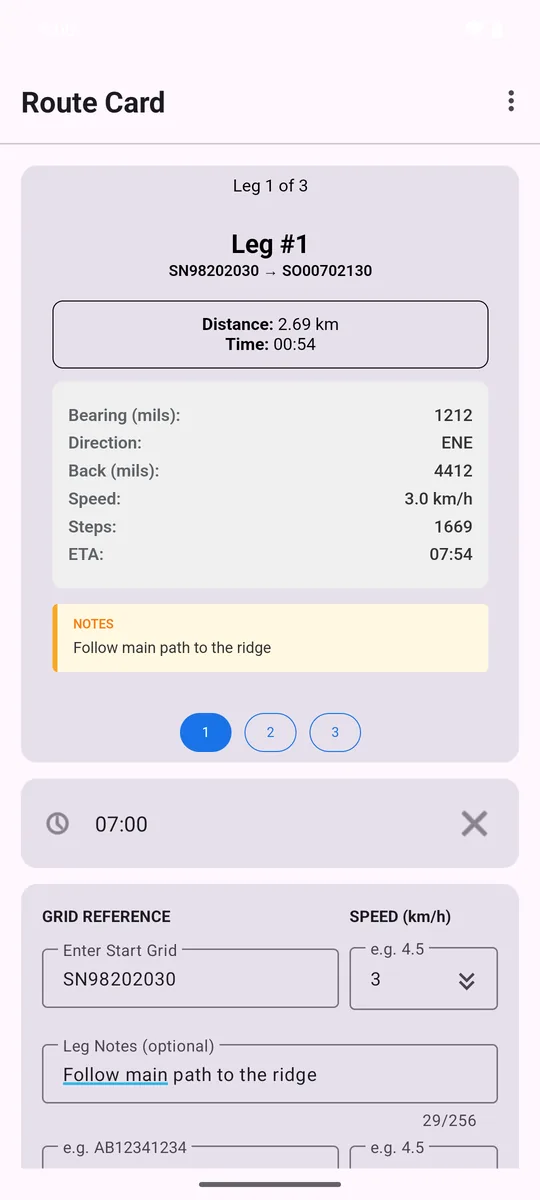
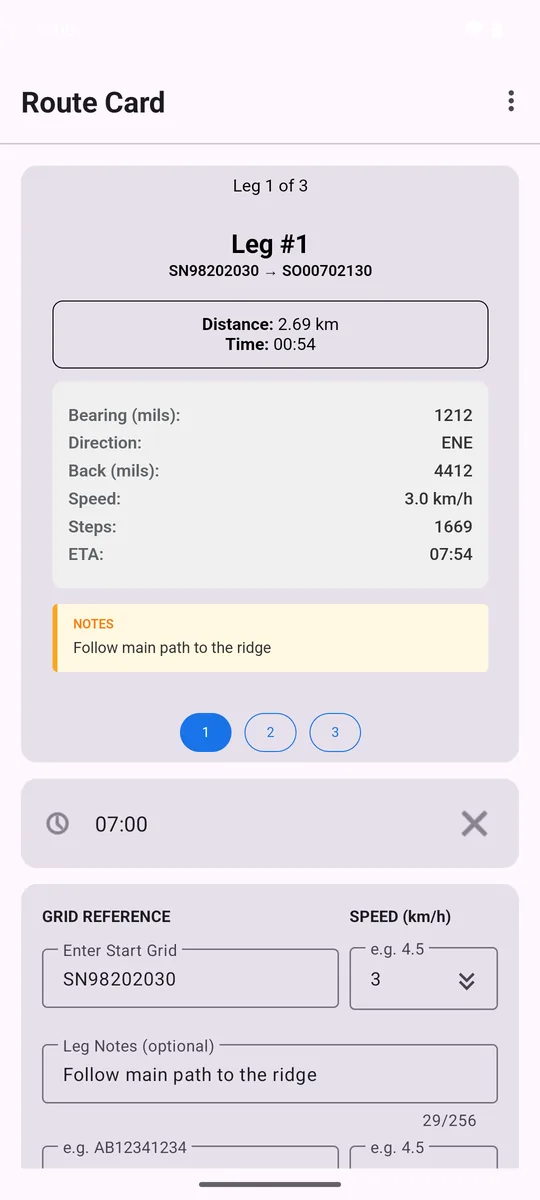
Plan the route once and tap Update. Change anything, tap Update again, and the whole card is recalculated.
Bearings and back bearings
The forward bearing for every leg, plus the reciprocal to check your position. In NATO mils (0–6400) or degrees (0–360°).
Distance and direction
Straight-line distance in kilometres and a 16-point compass direction (N, NNE, NE…) for every leg.
Leg times and ETAs
Set a speed for each leg and a start time, and get the time for every leg and your arrival time at every waypoint.
Pace counts
Enter your double steps per 100 m once, and every leg gets a pace count so you can track distance on the ground without GPS.
Leg notes
Add landmarks, obstacles, hazards or RV details to any leg. They appear on the route card right where you need them.
Works fully offline
Every calculation runs on your phone. No internet connection is needed at any point, and the app uses minimal permissions.
Two grid systems. One app.
Military or mountain, switch between MGRS and the OS National Grid in Settings at any time. Here is the same start point, Storey Arms in the Brecon Beacons, in both.
MGRS
The Military Grid Reference System: the NATO standard used by allied forces. Works worldwide and supports routes that cross UTM zone boundaries.
OS National Grid
The Ordnance Survey grid printed on British maps. The natural choice for hillwalking, expeditions and training on British ground.
Grid references can be typed with or without spaces.
Read your route card your way.
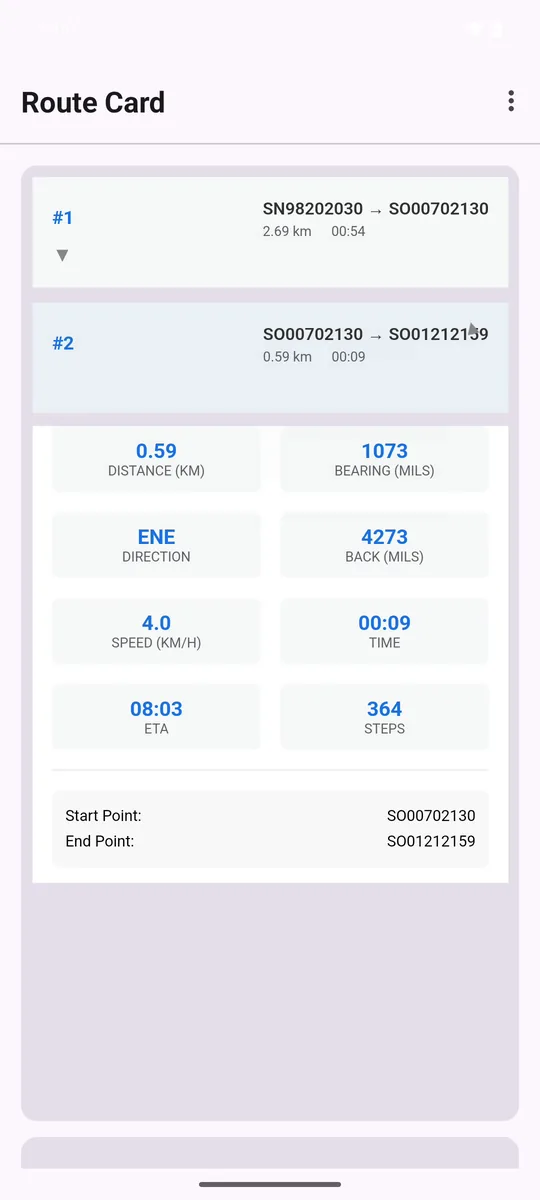
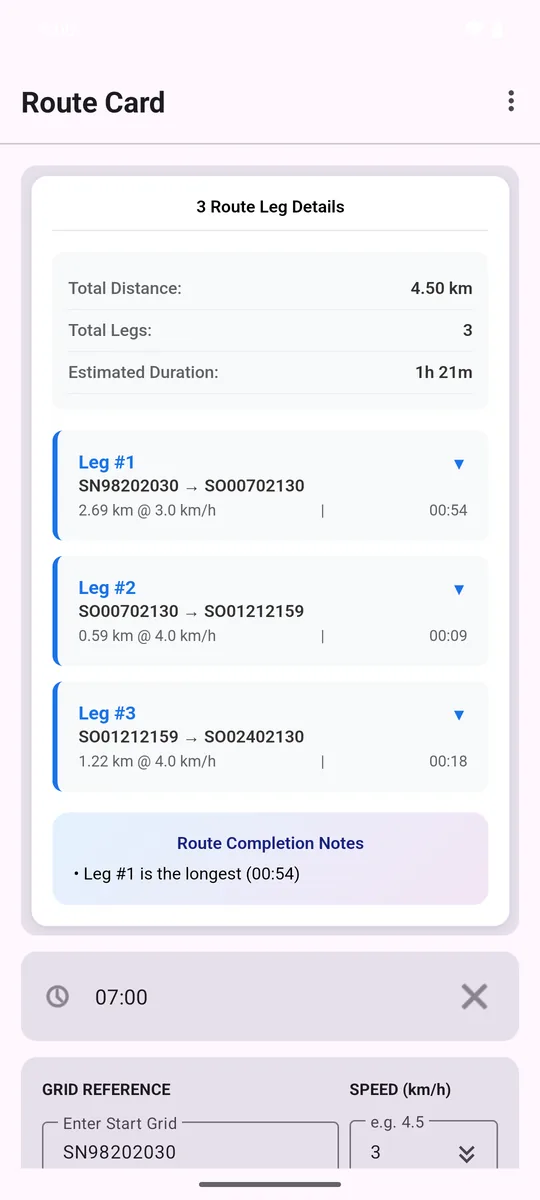
Four layouts for the same route card. Pick the one that suits the job, and hide any columns you don't use.
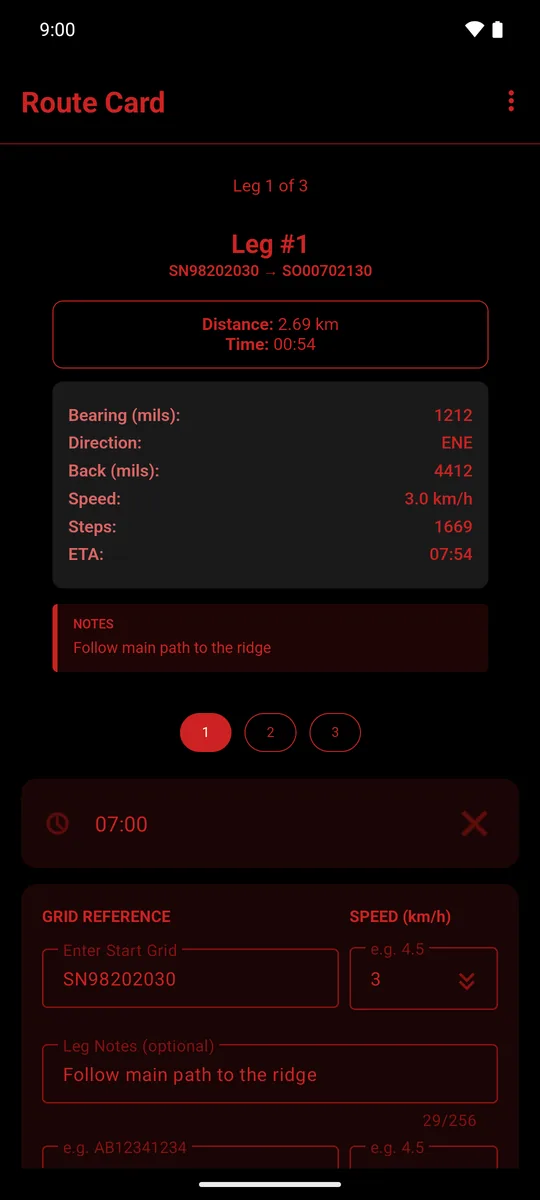
Built for the dark.
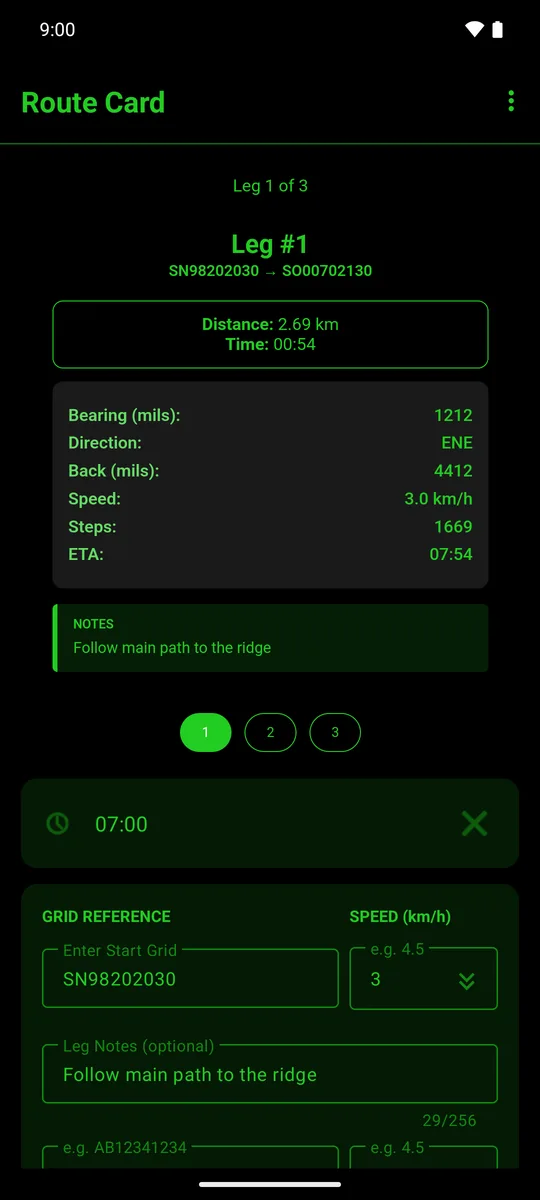
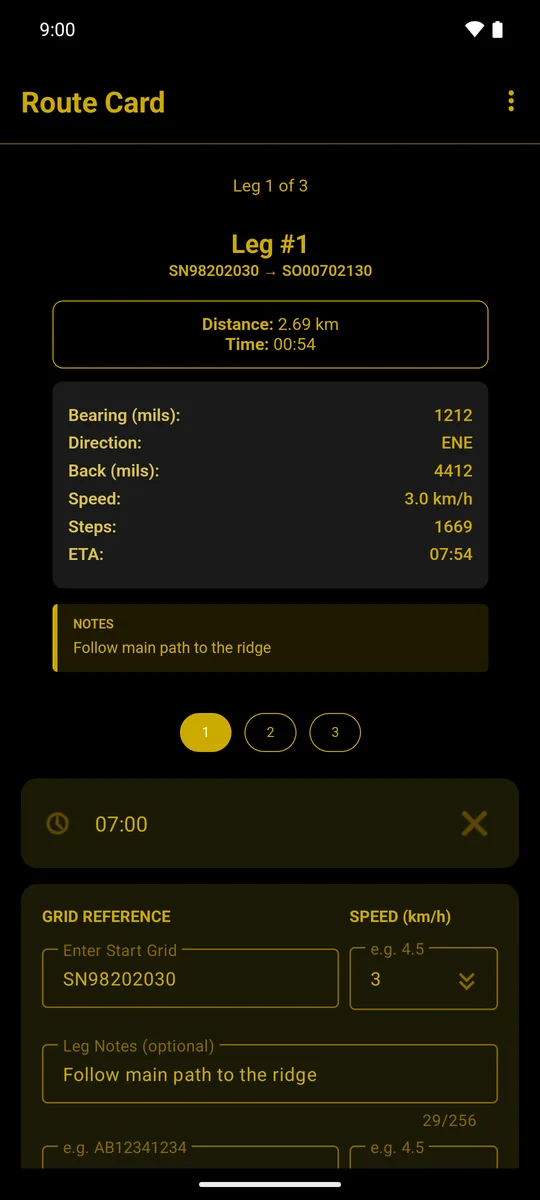
Navigation doesn't stop at sunset. Three low-light themes change the whole app instantly from Settings.
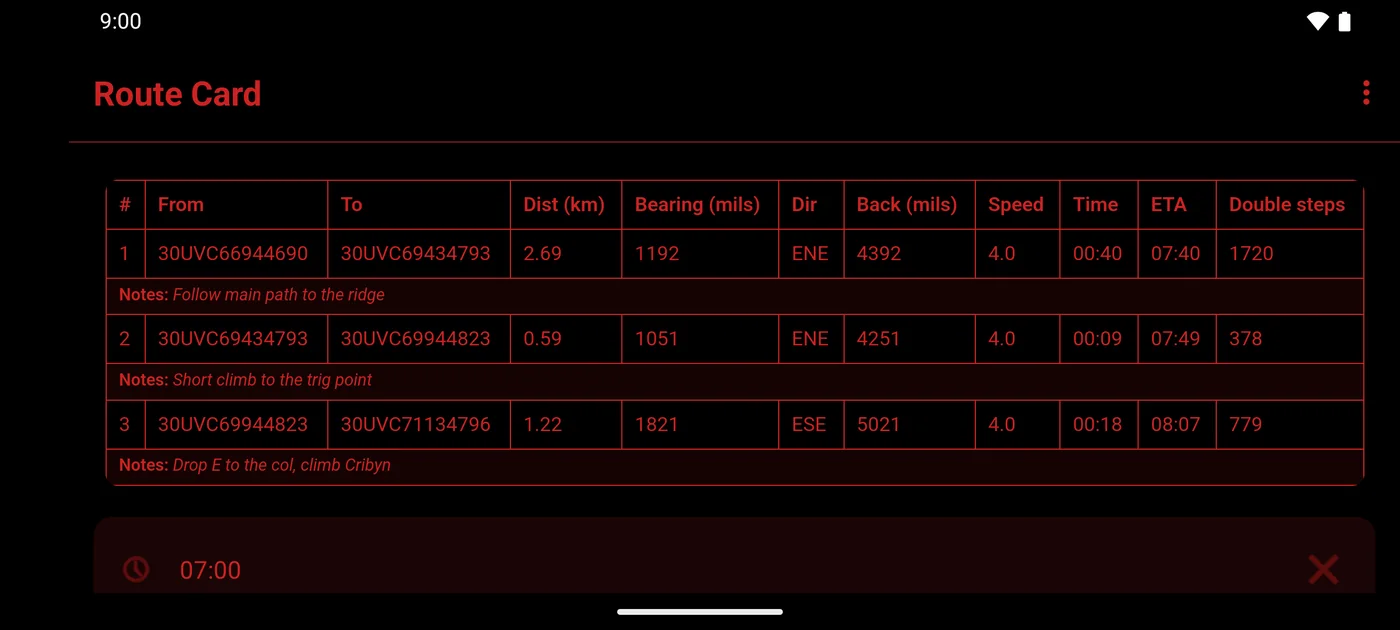
A Pen y Fan route card, worked out in one tap.
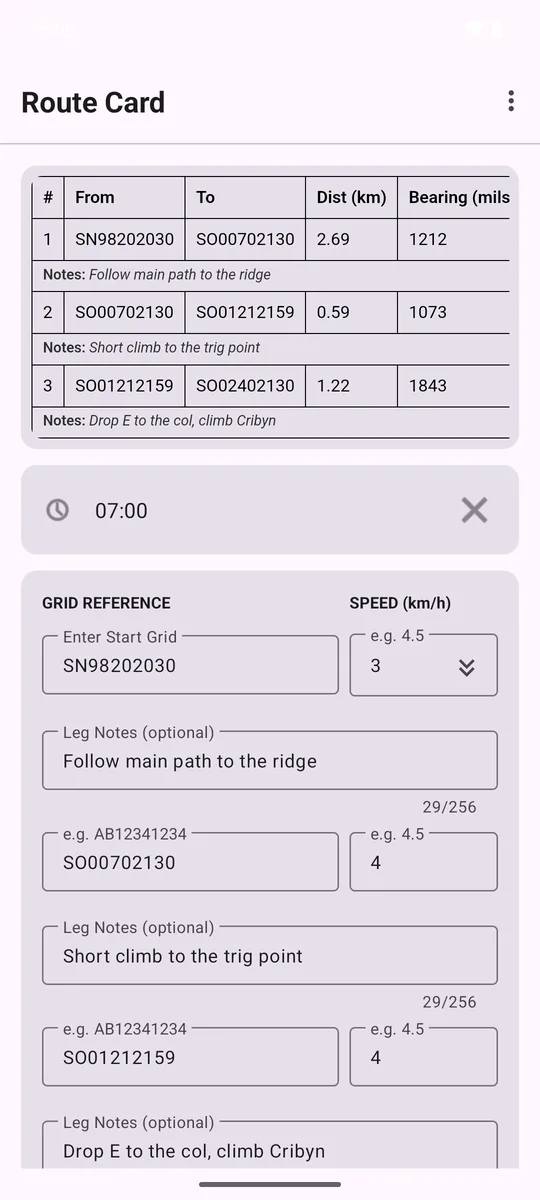
Four OS grid references in the Brecon Beacons, from Storey Arms over Corn Du and Pen y Fan to Cribyn. A 07:00 start, 3 km/h for the long climb and 4 km/h after that.
| Leg | From | To | Dist (km) | Bearing (mils) | Dir | Back (mils) | Speed | Time | ETA | Double steps |
|---|---|---|---|---|---|---|---|---|---|---|
| 1 | SN98202030 | SO00702130 | 2.69 | 1212 | ENE | 4412 | 3.0 | 00:54 | 07:54 | 1669 |
| Notes: Follow main path to the ridge | ||||||||||
| 2 | SO00702130 | SO01212159 | 0.59 | 1073 | ENE | 4273 | 4.0 | 00:09 | 08:03 | 364 |
| Notes: Short climb to the trig point | ||||||||||
| 3 | SO01212159 | SO02402130 | 1.22 | 1843 | ESE | 5043 | 4.0 | 00:18 | 08:21 | 759 |
| Notes: Drop E to the col, climb Cribyn | ||||||||||
| Total | 4.50 | 1:21 | 08:21 | |||||||
Double steps based on a pacing count of 62 per 100 m. See how this route was entered, step by step.
Save every route.
Everything above is free. Upgrade to Route Card Pro to keep your route cards and come back to them.
- Save your route cards with Save and Save As, under names you choose
- Load, rename and delete saved routes whenever you need them
- One-time purchase. No subscription
- Works fully offline once activated
- Changing phones? Restore Purchase with the same Google account
Upgrade from the menu inside the app.
Made for anyone who navigates with a map and compass.
Soldiers, cadets and reservists
Produce a complete route card in minutes, not an evening.
- MGRS grid references and NATO mils
- ETAs for reporting timings up the chain
- Tactical Night and NVG display modes
Hillwalkers and expedition groups
Proper navigation data for every leg of the walk.
- OS National Grid references and degrees
- Leg times at your own walking speed
- Pace counts for when the path disappears
Route Card in 78 seconds.
Is Route Card free?
Yes. Route Card is free to download from Google Play, and every route card calculation is included. Saving and loading routes is part of Route Card Pro, a one-time in-app purchase with no subscription.
Does Route Card work without a phone signal?
Yes. Route Card works entirely offline. Every bearing, distance and coordinate calculation runs on your phone, so you can plan and use your route card in the field with no signal.
Which grid reference systems does it support?
MGRS (Military Grid Reference System), the NATO standard that works worldwide, and the OS National Grid (OSGB) printed on British maps, which is valid within Great Britain. You can switch between them in Settings at any time.
Can I use degrees instead of mils?
Yes. Bearings and back bearings can be shown in NATO mils (0–6400) or degrees (0–360°). Choose the unit that matches your compass in Settings.
How does the pace count work?
Enter the number of double steps you take over a measured 100 metres. Route Card multiplies it by each leg's distance to give the double steps for that leg, so you can track distance on the ground without GPS.
Does Route Card allow for hills and steep ground?
Distances are straight-line distances between your grid references, and leg times come from the speed you enter. For steep or difficult legs, enter a slower speed for that leg and its time and ETA will reflect it.
Can I save my routes?
Yes, with Route Card Pro. You can save, reload, rename and delete route cards, and they are stored on your phone. If you change phones, use Restore Purchase with the same Google account to reactivate Pro.
Does Route Card collect my data?
No. As declared on its Google Play listing, Route Card collects no data and shares none with third parties. All route calculations happen on your phone.
Is there an iPhone version?
Route Card is currently available for Android only, on Android 8.0 and later.
Stop working it out by hand.
Grid references in, route card out. MGRS or OS National Grid, mils or degrees, day or night.